Introduction
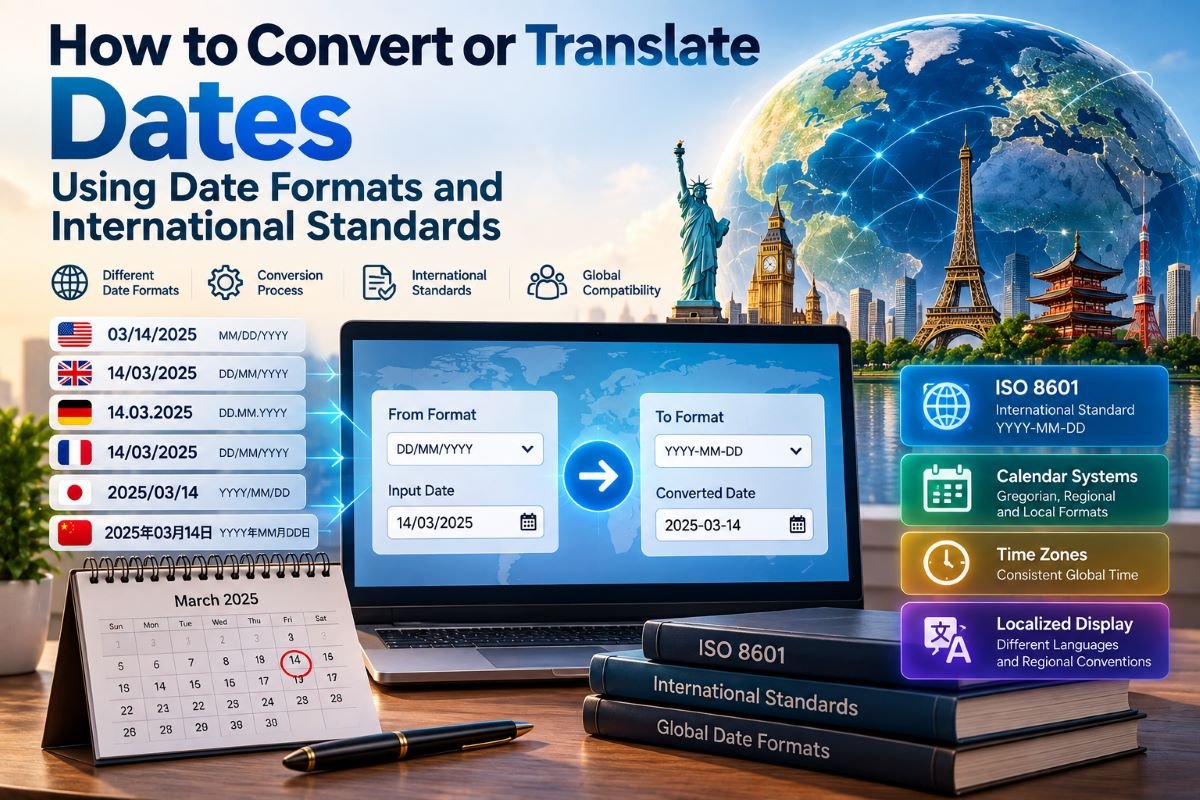
A date can be written in several different ways while referring to the same point on a calendar.
For example, a single date might appear as:
| DD/MM/YYYY |
| MM/DD/YYYY |
| YYYY-MM-DD |
The characters are different, but the underlying calendar date may be identical.
This becomes important whenever information moves between people, countries, software systems, databases, scientific datasets, websites, or documents. A date written in one format may need to be converted into another format or translated into a form that another system or reader can correctly understand.
Date conversion is therefore more than replacing one separator with another.
A reliable conversion process must first determine what the original date means, identify the calendar and formatting convention being used, interpret the components in the correct order, validate the result, and then produce the desired representation.
For example, converting:
| DD/MM/YYYY |
to:
| YYYY-MM-DD |
is relatively straightforward when the original structure is known.
But a value such as:
| 03/04/YYYY |
can be ambiguous if the source does not specify whether the first number represents the day or the month.
The problem becomes even more complex when dates are combined with times, time zones, localized calendars, or data from multiple international sources.
This article explains how date conversion and date translation work, how international standards help reduce interpretation errors, how software should process dates, and why validation is essential whenever temporal information crosses formats, languages, regions, or systems.
What Does It Mean to Convert a Date?
Date conversion means changing the representation of a date while preserving its underlying meaning.
Suppose a source system represents a date as:
| DD/MM/YYYY |
and the destination system requires:
| YYYY-MM-DD |
The conversion process should not change the actual calendar date.
Conceptually:
| Source representation |
| ↓ |
| Interpretation |
| ↓ |
| Calendar date |
| ↓ |
| Destination representation |
The important middle step is interpretation.
A conversion system should not simply rearrange characters.
For example, if the source is:
| DD/MM/YYYY |
then the first component represents the day and the second represents the month.
If the destination is:
| YYYY-MM-DD |
the same components must be rearranged accordingly.
The goal is therefore:
change the representation, not the meaning.
Date Conversion vs. Date Translation
The words conversion and translation are sometimes used interchangeably, but they can describe slightly different operations.
Date Conversion
Date conversion usually means changing the format or representation.
For example:
| DD/MM/YYYY |
| ↓ |
| YYYY-MM-DD |
The calendar system remains the same; only the representation changes.
Date Translation
Date translation can involve interpreting a date for a different language, locale, calendar convention, or user environment.
For example, a system may convert a numerical date into a localized written form.
The underlying temporal information remains the same, but its presentation is adapted for the target audience.
This distinction becomes important when designing international software.
A simple format conversion may be enough for:
| YYYY-MM-DD → DD/MM/YYYY |
but international date translation may require additional knowledge about:
- locale
- language
- calendar system
- numbering conventions
- month names
- weekday names
- time zones
- cultural formatting preferences
The First Step: Identify the Source Format
Before converting a date, the source representation must be understood.
Consider:
| 07/08/YYYY |
Without context, this value may be interpreted in more than one way.
Under a day-first convention:
| 07 = Day |
| 08 = Month |
Under a month-first convention:
| 07 = Month |
| 08 = Day |
The characters alone may not provide enough information to determine the intended meaning.
A reliable conversion system should therefore identify the source format explicitly whenever possible.
For example:
| Source format: DD/MM/YYYY |
| Source value: 07/08/YYYY |
can be interpreted unambiguously.
Likewise:
| Source format: MM/DD/YYYY |
| Source value: 07/08/YYYY |
has a different meaning.
This is why metadata is important in data exchange.
A date value without its format information may not contain enough information to be safely translated.
Recognizing Common Date Patterns
Many date-conversion tasks involve a limited number of common structures.
Examples include:
| DD/MM/YYYY |
| MM/DD/YYYY |
| YYYY-MM-DD |
| DD-MM-YYYY |
| MM-DD-YYYY |
| YYYY/MM/DD |
The separator may change:
| / |
| - |
| . |
but separators alone do not define the meaning of the components.
For example:
| DD-MM-YYYY |
and:
| DD-MM-YYYY |
use the same separator but assign different meanings to the first two components.
A conversion tool therefore needs to understand the pattern, not simply detect punctuation.
Separating Representation From Meaning
One of the most important concepts in date conversion is the difference between a date's representation and its semantic value.
Consider:
| YYY-MM-DD |
This is a representation.
The underlying value is a particular calendar date.
A useful conceptual model is:
| Text |
| ↓ |
| Format interpretation |
| ↓ |
| Calendar date |
| ↓ |
| New format |
| ↓ |
| Output text |
This approach prevents a common mistake: treating date strings as ordinary text.
A date should ideally be parsed into a structured temporal value before being reformatted.
For example:
| Input: |
| DD/MM/YYYY |
| ↓ parse |
| Day |
| Month |
| Year |
| ↓ construct date |
| Calendar Date |
| ↓ format |
| YYYY-MM-DD |
This separation makes the conversion process easier to validate.
Why Direct String Replacement Can Be Dangerous
A simple text replacement may appear to work for some dates.
For example, replacing / with - transforms:
| DD/MM/YYYY |
into:
| DD-MM-YYYY |
But that is not necessarily the required conversion.
If the target format is:
| YYYY-MM-DD |
the components must also be reordered.
More importantly, a text operation does not necessarily validate whether the resulting date is meaningful.
For reliable applications, date values should be parsed and validated as temporal data rather than manipulated as arbitrary strings.
Parsing a Date Before Converting It
Parsing means interpreting a date string according to a known pattern.
Suppose the source is:
| 31/07/YYYY |
with the known pattern:
| DD/MM/YYYY |
The parser identifies:
| Day → 31 |
| Month → 07 |
| Year → YYYY |
The system can then construct an internal date value.
Once the date has been parsed, the application can produce another representation:
| YYYY-MM-DD |
The important advantage is that the date has been interpreted before it is displayed.
This makes validation and further processing possible.
Validation Is a Critical Part of Conversion
A date converter should not assume that every input is valid.
Consider:
| 31/02/YYYY |
The format may look correct, but the date itself may not exist in the intended calendar.
This demonstrates the difference between:
format validity
and:
calendar validity.
A value can match the expected pattern while still representing an invalid date.
A robust conversion process should therefore check:
- whether the input matches the expected pattern
- whether the components are within valid ranges
- whether the combination forms a valid calendar date
- whether the source calendar is correctly identified
- whether the resulting date can be represented in the target format
Validation should happen before the final output is generated.
Format Conversion and Calendar Conversion Are Different
This distinction is particularly important.
Format Conversion
Format conversion changes how the same calendar date is written.
For example:
| DD/MM/YYYY |
| ↓ |
| YYYY-MM-DD |
The underlying calendar remains unchanged.
Calendar Conversion
Calendar conversion changes the representation from one calendar system to another.
This is a different and more complex operation.
A calendar conversion may require:
- identifying the source calendar
- determining the corresponding calendar date
- applying calendar-specific rules
- accounting for different month structures
- handling different year definitions
- producing the target calendar representation
Therefore, a tool that simply changes date formats should not be described as a complete calendar-conversion system.
The two processes should remain conceptually separate.
Translating Dates for Different Languages
Date translation may also involve language.
A numerical representation such as:
| YYYY-MM-DD |
can be converted into a localized human-readable form.
For example, the target display might use:
| Day Month Year |
with localized month and weekday names.
The underlying date remains unchanged.
The translation layer determines how that date should be presented to the user.
This approach allows applications to separate:
| Stored date |
from:
| Displayed date |
The same underlying value can therefore be presented differently to users in different locales.
Locale Is More Than Language
A common misconception is that localization only changes language.
Date localization can affect several elements:
- component order
- separators
- month names
- weekday names
- numbering conventions
- calendar preferences
- 12-hour or 24-hour time display
- first day of the week
- textual date patterns
Therefore, a software system should treat locale as a structured setting rather than simply a language code.
For example:
| Language → English |
| Region → specific locale |
can influence the preferred date presentation.
This becomes especially important for international websites and applications.
International Standards as a Common Reference
International date standards provide a shared framework for representing temporal information.
One of the most widely recognized standards is ISO 8601, which defines internationally recognizable representations for dates and times.
A familiar date representation is:
| YYYY-MM-DD |
Its value in data exchange comes from its consistent component ordering.
Instead of requiring a reader to infer whether the first component is the day or month, the structure clearly establishes:
| Year → Month → Day |
Standards do not eliminate every date-related problem, but they provide a common reference point for systems that need to exchange temporal information.
This is especially useful in:
- software
- databases
- scientific datasets
- international communication
- data exports
- APIs
- file systems
- machine-readable documents
Why Standards Help Date Conversion
Imagine two systems exchanging dates.
System A uses:
| DD/MM/YYYY |
System B expects:
| YYYY-MM-DD |
A clearly defined conversion rule can translate the information between them.
If both systems instead exchange a standardized representation, the need for interpretation may be reduced.
This is one reason standardized date representations are valuable in machine-to-machine communication.
The goal is not necessarily to force every human interface to display dates identically.
Instead, standardized representations can provide a reliable underlying format while user interfaces remain localized.
Machine-Readable Dates vs Human-Readable Dates
A date can be presented differently depending on its purpose.
A human-facing interface might prefer a familiar local format.
A database or API may prefer a standardized representation.
This creates two layers:
| Machine representation |
| ↓ |
| Application logic |
| ↓ |
| Localized user display |
For example, an application can store or exchange a structured date while displaying it according to the user's locale.
This approach prevents presentation preferences from becoming part of the underlying data model.
It also makes internationalization easier.
Converting Dates in Databases
Databases frequently store dates as temporal data types rather than plain text.
This is generally preferable because the database can then perform operations such as:
- sorting
- filtering
- comparison
- date arithmetic
- range queries
- grouping by time period
If dates are stored as arbitrary strings, these operations may become more complicated and error-prone.
For example, sorting strings formatted as:
| DD/MM/YYYY |
does not necessarily produce chronological order when simple lexical sorting is used.
A structured date value, however, can be compared according to its temporal meaning.
This illustrates an important principle:
store temporal information as temporal data whenever the system supports it.
Format it for display only when necessary.
Converting Dates in APIs
APIs frequently exchange dates between different applications.
An API may receive:
| YYYY-MM-DD |
while an application's user interface displays:
| DD/MM/YYYY |
The application can use a conversion layer:
| API input |
| ↓ |
| Parse |
| ↓ |
| Internal date value |
| ↓ |
| Localized formatting |
| ↓ |
| User interface |
When data is sent back to the API, the process is reversed.
This architecture prevents the user interface format from becoming tightly coupled to the API format.
It also makes it easier to support additional locales later.
Converting Dates in Spreadsheets and Data Imports
Date conversion becomes particularly important when importing data from spreadsheets or CSV files.
A column may contain values such as:
| DD/MM/YYYY |
while the receiving application expects:
| YYYY-MM-DD |
A data-import process should identify the source pattern before transforming the values.
A safe workflow is:
| Import |
| ↓ |
| Detect or define source format |
| ↓ |
| Parse |
| ↓ |
| Validate |
| ↓ |
| Convert |
| ↓ |
| Store |
This is safer than assuming every imported value follows the same convention.
Ambiguous Dates Require Context
Some date strings cannot be safely interpreted without additional information.
For example:
| 04/05/YYYY |
could represent either:
| 4 May |
or:
| April 5 |
depending on the source convention.
A conversion system should not silently choose one interpretation when the source format is unknown.
Possible sources of context include:
- documented input specification
- database schema
- API documentation
- locale metadata
- user selection
- file headers
- application settings
If the ambiguity cannot be resolved, the safest approach is to request or require clarification rather than silently producing a potentially incorrect date.
Using Unambiguous Date Representations
Certain representations reduce ambiguity because their component order is standardized.
For example:
| YYYY-MM-DD |
clearly places the year first.
This can be useful when:
- naming files
- exchanging data
- generating logs
- creating database exports
- communicating between systems
- documenting scientific observations
An unambiguous source format reduces the amount of contextual information needed during conversion.
Date and Time Conversion Are Connected
A date alone represents a calendar position, while a date-time identifies a more precise temporal point.
For example:
| YYYY-MM-DD |
contains date information.
A date-time may include:
| YYYY-MM-DD HH:MM:SS |
and potentially a UTC offset.
When converting date-time values, the system must preserve both the calendar date and the time information.
This introduces additional considerations:
- time zones
- UTC offsets
- daylight-saving rules
- precision
- date changes caused by time-zone conversion
Therefore, converting a date-time is not simply the same as converting a date string.
Why Time Zones Can Change the Calendar Date
Suppose an event occurs late in the evening in one time zone.
The corresponding local time in another time zone may already belong to the following calendar day.
This means that time-zone conversion can change the displayed date even though the underlying instant remains the same.
Conceptually:
| Same instant |
| ↓ |
| Time Zone A |
| ↓ |
| Calendar Date A |
| ↓ |
| Same instant |
| ↓ |
| Time Zone B |
| ↓ |
| Calendar Date B |
The date changes because the local representation changes.
This is why date conversion should not be performed independently of time-zone information when the original value represents a specific instant in time.
Date Conversion in Scientific Data
Scientific data often requires precise and reproducible temporal representation.
Researchers may combine observations from:
- different instruments
- different laboratories
- different locations
- different data sources
- different measurement systems
If temporal representations are inconsistent, comparing observations can become difficult.
A scientific workflow may therefore involve:
| Raw timestamps |
| ↓ |
| Format identification |
| ↓ |
| Normalization |
| ↓ |
| Validation |
| ↓ |
| Temporal alignment |
| ↓ |
| Analysis |
The objective is not simply to make dates look consistent.
The objective is to ensure that the temporal meaning of every observation is preserved.
This distinction is important in scientific data processing.
Temporal Alignment
When multiple time-series datasets are combined, their observations may occur at different intervals.
For example:
| Dataset A: |
| 08:00 |
| 08:10 |
| 08:20 |
| Dataset B: |
| 08:05 |
| 08:15 |
| 08:25 |
Before analysis, the datasets may need to be aligned to a common temporal framework.
This may involve:
- converting timestamp representations
- normalizing time zones
- determining intervals
- matching observations
- handling missing values
- preserving original timestamps
Temporal alignment is therefore an important extension of ordinary date conversion.
Converting Dates Without Losing Information
A good conversion should preserve as much temporal information as the destination format allows.
For example, if an input contains:
| date + time + UTC offset |
but the destination accepts only:
| date |
some information will be discarded.
The conversion may still be valid, but the loss should be understood.
This leads to an important distinction:
conversion can change representation, but reducing precision can also remove information.
A system should therefore know whether the destination supports:
- date only
- date and time
- fractional seconds
- UTC offset
- time-zone information
Reversible and Non-Reversible Conversion
Some conversions are reversible.
For example:
| YYYY-MM-DD |
| ↓ |
| DD/MM/YYYY |
| ↓ |
| YYY-MM-DD |
can preserve the same date when the formats are known.
Other transformations may not be fully reversible.
For example, converting:
| date + time + time zone |
into:
| date only |
removes information.
Once the time and time-zone information are discarded, they cannot necessarily be reconstructed from the date alone.
This is why data-processing systems should carefully distinguish between:
- reformatting
- normalization
- precision reduction
- information loss
Common Date Conversion Errors
Several mistakes occur repeatedly when dates are converted between systems.
Assuming Every Slash Format Means the Same Thing
DD/MM/YYYY and MM/DD/YYYY are not interchangeable.
Changing Separators Without Reordering Components
Replacing / with - does not automatically perform a complete format conversion.
Ignoring Source Metadata
A date without its format information may be ambiguous.
Treating Dates as Plain Text
Text manipulation can produce invalid or incorrectly interpreted results.
Ignoring Calendar Rules
A structurally correct date may still be invalid.
Mixing Local Time and UTC
This can shift dates when date-time values cross time zones.
Discarding Precision Without Awareness
Removing time or offset information can permanently reduce temporal information.
Assuming Locale Equals Language
Regional date conventions can differ even when the language is the same.
A Reliable Date Conversion Workflow
A robust date conversion system can follow a structured sequence.
Step 1: Identify the Source
Determine where the date came from and what rules apply.
Step 2: Identify the Source Format
Determine whether the input follows:
| DD/MM/YYYY |
| MM/DD/YYYY |
| YYYY-MM-DD |
or another representation.
Step 3: Identify the Calendar
Determine which calendar system the source uses when this information is relevant.
Step 4: Parse the Value
Separate the date into its meaningful components.
Step 5: Validate
Check both structural and calendar validity.
Step 6: Normalize
Convert the information into a consistent internal representation.
Step 7: Apply Time-Zone Rules
If a date-time represents an instant, account for the appropriate time zone or UTC offset.
Step 8: Select the Destination Format
Determine how the target system or user expects the date to appear.
Step 9: Format the Result
Generate the destination representation.
Step 10: Verify
Confirm that the converted value represents the intended temporal information.
The complete process can be summarized as:
| Source |
| ↓ |
| Identify |
| ↓ |
| Parse |
| ↓ |
| Validate |
| ↓ |
| Normalize |
| ↓ |
| Convert |
| ↓ |
| Format |
| ↓ |
| Verify |
This workflow is more reliable than treating conversion as a simple text-replacement task.
Designing a Good Date Converter
A useful date-conversion tool should make the source and destination assumptions visible.
A practical interface may provide:
| From Format [ DD/MM/YYYY ] |
| Input Date [ .......... ] |
| To Format [ YYYY-MM-DD ] |
| Converted Date [ .......... ] |
For more advanced applications, additional controls may include:
- locale
- calendar system
- time zone
- date-time precision
- output language
The interface should also provide meaningful validation messages.
For example:
The input matches the selected format, but the date is not valid in the selected calendar.
This is more useful than simply reporting:
Invalid date.
Why Automatic Format Detection Has Limits
Modern software can sometimes infer date formats from input patterns, but automatic detection should be used carefully.
| 12/11/YYYY |
Consider:
The system may not know whether the value is:
| 12 November |
or:
| December 11 |
Both interpretations are structurally valid.
Automatic detection becomes safer when the value itself contains clues that eliminate ambiguity.
For example, a value containing a component greater than 12 cannot represent a month-first interpretation for that component.
However, when both interpretations remain possible, metadata or user input may be necessary.
Therefore:
automatic detection is useful, but explicit format information is safer.
Date Conversion and Interoperability
International systems frequently exchange information across organizational and geographic boundaries.
A business application may receive dates from:
- customers
- payment systems
- shipping systems
- government systems
- external APIs
- spreadsheets
- partner organizations
Each source may use different formatting conventions.
A well-designed integration layer can normalize incoming dates before they enter the application's core data model.
This creates a useful architecture:
External Source A ──┐
External Source B ──┼──→ Conversion Layer → Internal Date Model
External Source C ──┘
The internal system can then use one consistent temporal representation while external interfaces retain their own formats.
Date Conversion and File Names
Date representations can also matter when dates are used in file names.
Compare:
DD-MM-YYYY
with:
YYYY-MM-DD
A year-first representation has a practical advantage for chronological sorting when files are sorted lexically.
For example, files organized using:
YYYY-MM-DD
can naturally group by year, then month, then day.
This makes standardized date representations useful for:
- scientific datasets
- backups
- reports
- logs
- research files
- archives
The key benefit is not merely visual appearance but predictable ordering.
The Role of Date Standards in Global Communication
International standards provide a common language for representing temporal information.
However, standards and localization serve different purposes.
A standardized representation may be preferred for:
- data exchange
- software processing
- technical documentation
- machine-readable records
Localized representations may be preferred for:
- user interfaces
- printed documents
- regional communication
- consumer applications
A strong system can support both.
Conceptually:
| Standardized internal value |
| ↓ |
| Localization layer |
| ↓ |
| User-specific display |
This approach allows global systems to maintain consistency without forcing every user to interact with dates in the same visual format.
A Practical Example of Date Translation
Imagine a system receives:
| Source format: DD/MM/YYYY |
| Input: 18/09/YYYY |
The system first interprets the source:
| Day → 18 |
| Month → 09 |
| Year → YYYY |
It then creates an internal date value.
If the destination requires:
| YYYY-MM-DD |
the output becomes:
| YYYY-09-18 |
The important point is that the conversion does not merely rearrange characters.
The system first establishes:
| 18 = day |
| 09 = month |
| YYYY = year |
and then generates the requested representation.
This same principle can be extended to localized displays, database formats, APIs, and scientific data pipelines.
How to Verify a Converted Date
Verification is an often-overlooked part of date conversion.
A conversion system should ideally verify:
Structural correctness
Does the result match the target pattern?
Calendar correctness
Does the resulting date exist?
Semantic correctness
Does the converted date represent the same intended calendar value?
Temporal correctness
If a date-time was converted, was the relevant time-zone information preserved?
Precision
Was any information unintentionally discarded?
Locale correctness
Does the final representation match the target audience's convention?
These checks help prevent silent errors.
Why Date Conversion Is a Data-Integrity Problem
Date conversion is sometimes treated as a formatting task, but in serious data systems it is fundamentally a data-integrity problem.
A formatting mistake can change how an event is interpreted.
An ambiguous date can result in:
- incorrect reports
- incorrect sorting
- wrong deadlines
- inaccurate scientific records
- inconsistent databases
- failed data imports
- incorrect automated processing
The visual difference between two formats may be small, but the semantic consequences can be significant.
This is why date conversion should be handled as a controlled transformation of structured temporal data.
Future of Date Conversion
As software systems become increasingly international, date conversion will remain an important part of data processing.
Modern applications increasingly combine information from:
- cloud services
- APIs
- mobile devices
- databases
- IoT devices
- scientific instruments
- international users
These systems may generate temporal information in different formats and time zones.
Automated conversion tools can reduce manual work, but reliable automation requires more than pattern recognition.
Future date-processing systems will increasingly need to combine:
- format recognition
- metadata
- calendar rules
- locale information
- time-zone databases
- validation
- standardized representations
- contextual interpretation
The goal is not simply to make dates look different.
The goal is to preserve their meaning as information moves between systems.
Key Principles for Accurate Date Conversion
The entire process can be reduced to several core principles.
- Know the source format before interpreting the date.
- Do not assume that similar-looking formats have the same meaning.
- Parse dates as structured temporal values rather than ordinary text.
- Validate both the format and the actual calendar value.
- Separate format conversion from calendar conversion.
- Treat locale as more than a language setting.
- Use standardized representations when exchanging machine-readable data.
- Keep internal date values separate from localized presentation.
- Account for time zones when converting date-time values.
- Be aware of information lost when reducing precision.
- Do not silently resolve genuinely ambiguous dates.
- Verify the converted result before using it in important processes.
Frequently Asked Questions
What does date conversion mean?
Date conversion means changing the representation of a date while preserving its underlying temporal meaning. For example, a date represented as DD/MM/YYYY can be converted to YYYY-MM-DD.
What is the difference between date conversion and date translation?
Date conversion generally changes the format, while date translation can also involve localization, language, calendar conventions, or regional presentation.
Why can't a date simply be rearranged as text?
Text manipulation does not necessarily understand what each component means or whether the resulting date is valid. Reliable conversion requires parsing and validation.
Why is DD/MM/YYYY different from MM/DD/YYYY?
The two formats assign different meanings to the first and second components. Without knowing the source convention, some dates can be ambiguous.
What should a date converter do first?
It should identify the source format and, where relevant, the calendar and time-zone context before interpreting the input.
Does ISO 8601 eliminate all date-conversion problems?
No. Standardized representations reduce ambiguity, especially in machine-readable data, but systems still need to handle localization, validation, time zones, calendars, and source data quality correctly.
Should dates be stored as text?
For systems that support native date or date-time data types, structured temporal storage is generally preferable to storing dates as arbitrary text. Text formatting can then be applied when displaying or exporting the value.
Can converting a date change the date itself?
A pure format conversion should not change the underlying calendar date. However, converting a date-time between time zones can change the displayed calendar date while representing the same instant.
Can automatic date-format detection always determine the correct format?
No. Some values are inherently ambiguous without additional context. A source specification, locale, metadata, or user selection may be required.
What is the safest format for international data exchange?
A clearly defined, standardized machine-readable representation can reduce ambiguity. ISO 8601 provides internationally recognized representations for dates and date-times.
Why is validation important?
A date can match a formatting pattern while still being invalid in the relevant calendar. Validation helps ensure that the converted value is structurally and semantically meaningful.
Can a date converter handle different calendars?
A system can support calendar conversion if it has the appropriate calendar rules and algorithms. This is different from simply changing the display format.
What happens when date precision is reduced?
Information may be lost. For example, converting a date-time to a date removes the time component, so the original time cannot necessarily be reconstructed.
Why are time zones important when translating dates?
A date-time represents an instant in relation to a time zone or offset. Converting between time zones can move the local representation across midnight and therefore change the displayed calendar date.
Final Perspective
Converting or translating dates is often presented as a simple formatting operation, but accurate temporal conversion is fundamentally about preserving meaning.
The same calendar date can have multiple written representations. A reliable system must therefore understand the structure of the source, interpret its components correctly, validate the calendar value, and then generate the destination representation.
For international applications, the process becomes broader. Locale, language, calendar systems, time zones, precision, and standardized representations may all influence how temporal information should be handled.
The most reliable architecture separates these responsibilities:
| Source Data |
| ↓ |
| Interpretation |
| ↓ |
| Validation |
| ↓ |
| Normalized Temporal Value |
| ↓ |
| Conversion |
| ↓ |
| Localization / Standardization |
| ↓ |
| Final Representation |
This separation allows one underlying date to be exchanged consistently between machines while still being displayed naturally to different users.
International standards provide a foundation for consistent communication, while conversion and localization provide the flexibility required by real-world applications.
Ultimately, good date conversion is not about making one string look like another. It is about ensuring that the meaning of time survives as information moves from one format, system, region, or audience to another.
Comments
No comments yet.